
Sites open faster than teams can be trained.
Tens of thousands of GPUs arrive on a contract date. The technicians who will run them were hired this quarter, from every background.
Jig turns your SOPs and OEM CAD into 3D procedures technicians practice, then follow beside the rack. Update once and every site has it.

After
Before
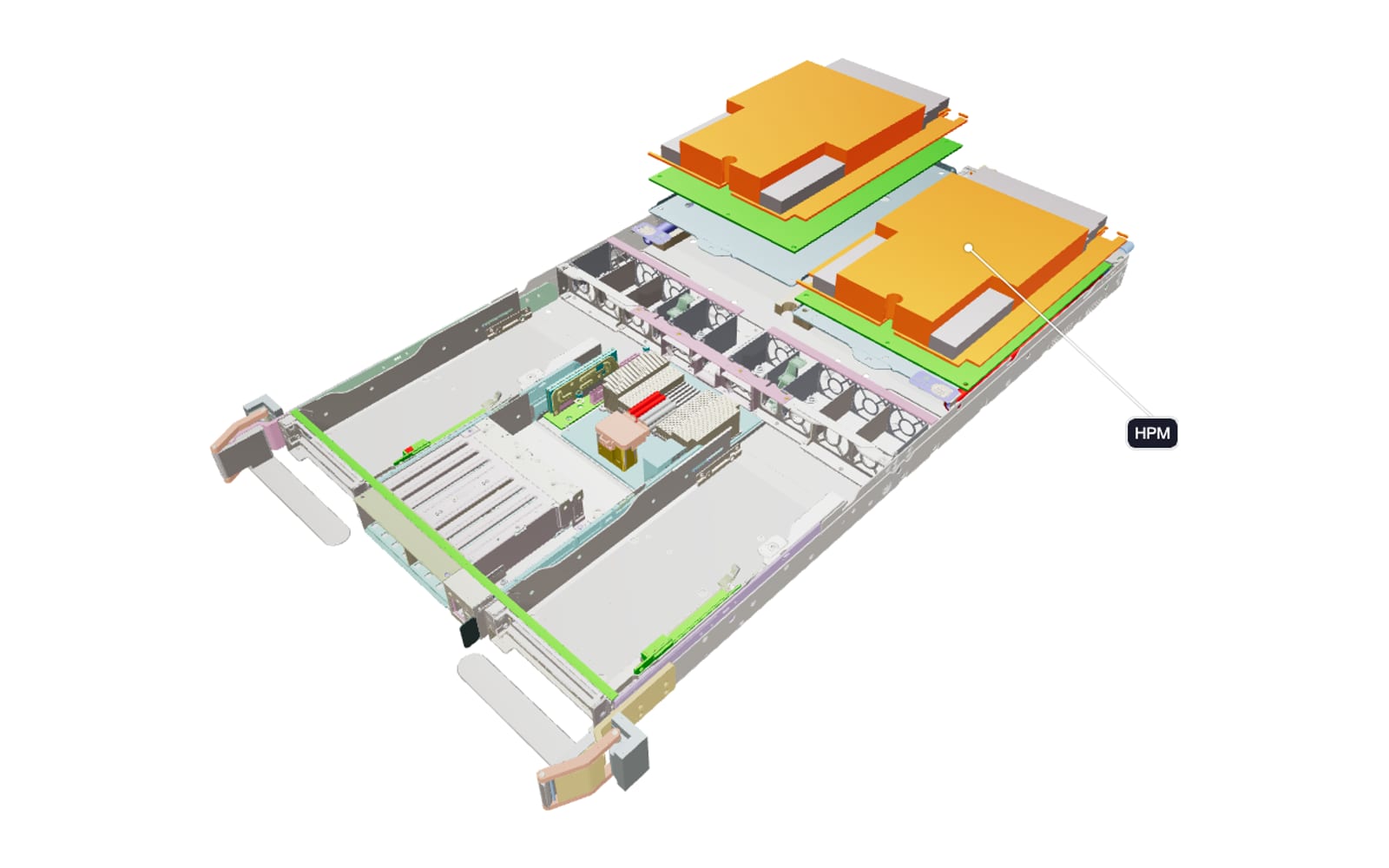
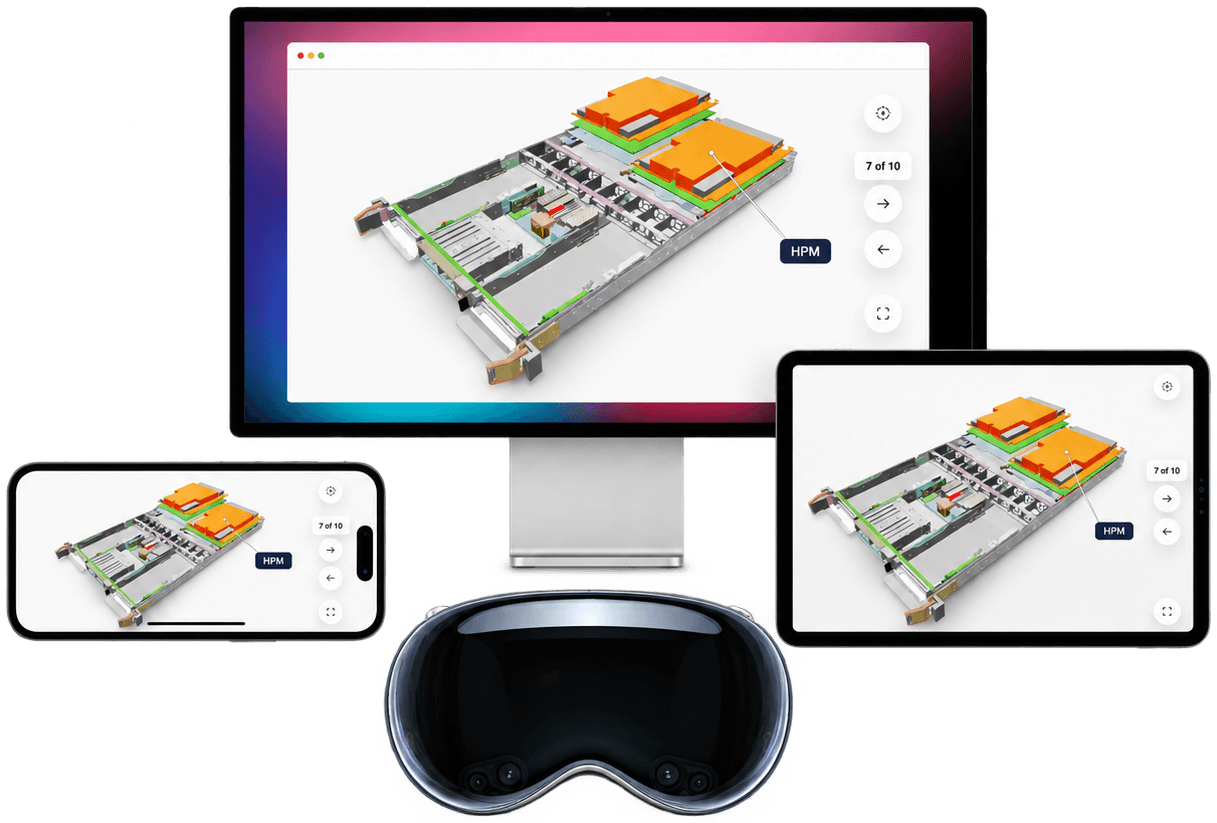
An MGX rack server tray, from the OEM’s CAD. Drag to rotate. Step through the assembly.Open in AR on your phone ↗

Real equipment. Real know-how.
An expert in every technician’s pocket.
Tens of thousands of GPUs arrive on a contract date. The technicians who will run them were hired this quarter, from every background.
A PDF can’t show which fitting, which port or which order. The technician works it out on the floor while the rack is down.
Until something breaks there is nothing to practice on. When it does, the technician on shift may be doing the procedure for the first time.
Reading a procedure is not understanding it.

Outages cost six figures, and the leading human cause is a procedure not followed.1 Two in three operators can’t find or keep the people who know the procedures.3 Uptime Institute’s own advice is regular practice on real scenarios.1
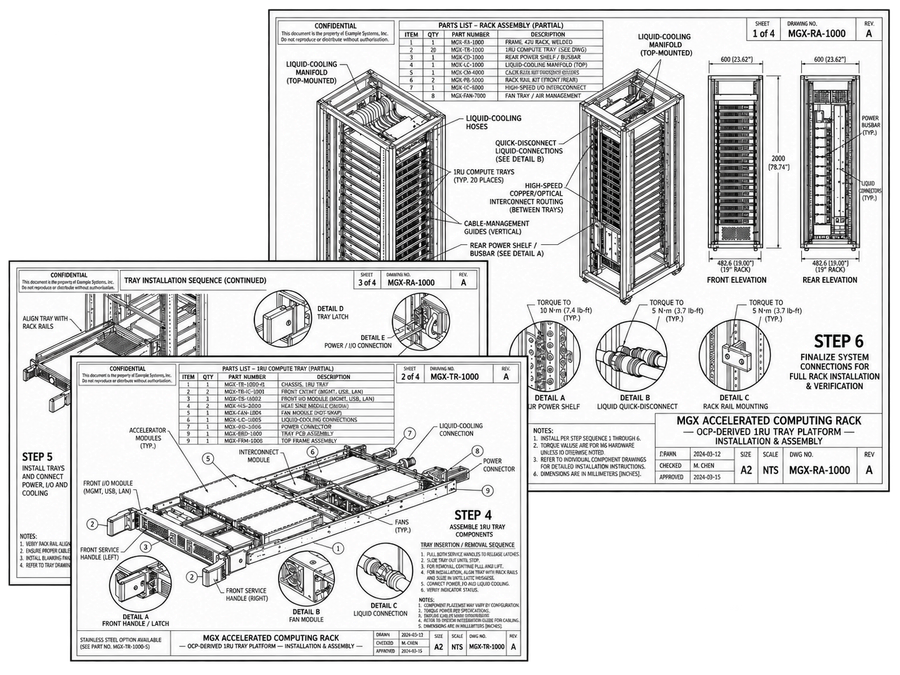
Sheet 01 / 04 · Rev A · Printed
On paper.
A flat isometric, a parts list and a column of notes. It takes experience to read, and the technician has to build the 3D picture in their head.
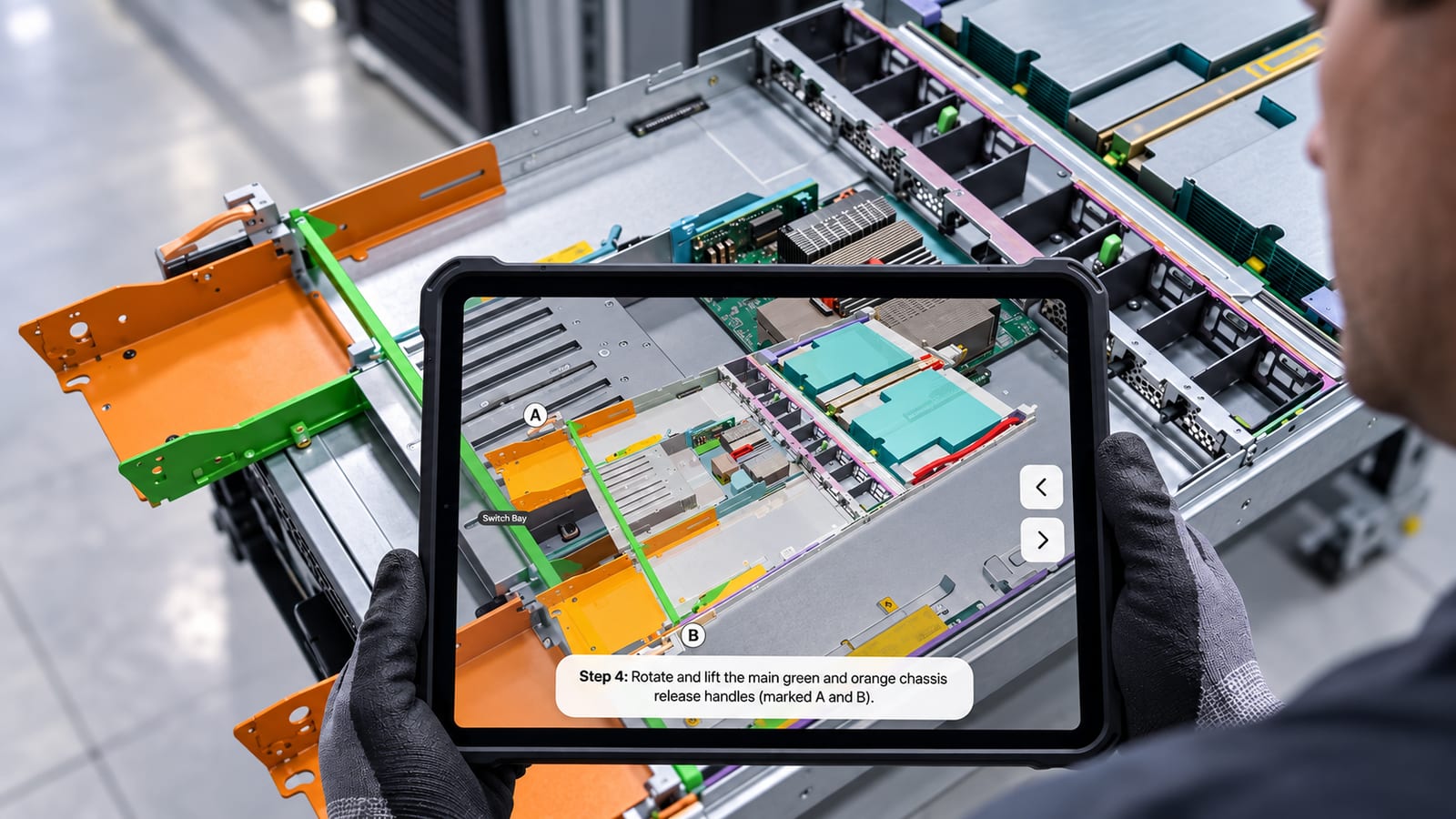
Jig · Step 4 · Live
3D, in context.
Empower your technicians with the ability to understand the procedure spatially in context, see exactly which parts sit where, and how they interact with each step.
Get the procedure out of your senior technicians’ heads and into every shift’s hands.
01
Import the SOP and the OEM’s CAD, or let JigSpace model the equipment where no CAD exists. Walk through it once with your senior technician and record every step in the order they actually do it.
02
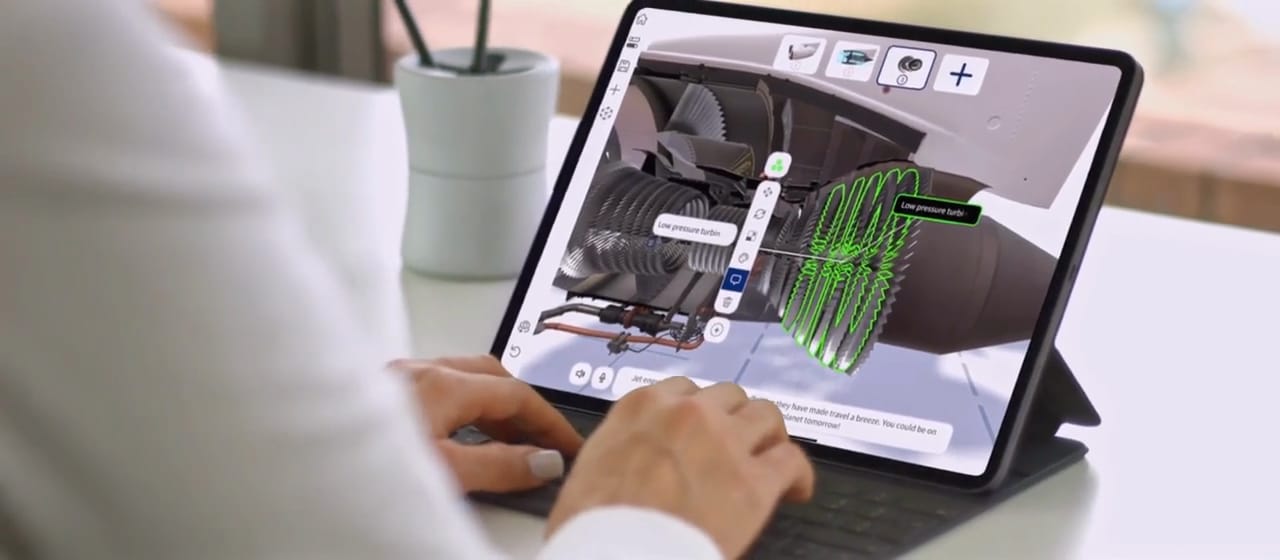
Designed for non-technical teams. Drag in files and resources, move parts, change materials and edit steps until the Jig matches how your site does the job, without a single line of code.
03
Change a step and save it. Every site, iPad and headset has the new version the next time it is opened, so nobody works from an old PDF. Single sign-on and roles control who can see and edit each procedure.
Jig Spark AI
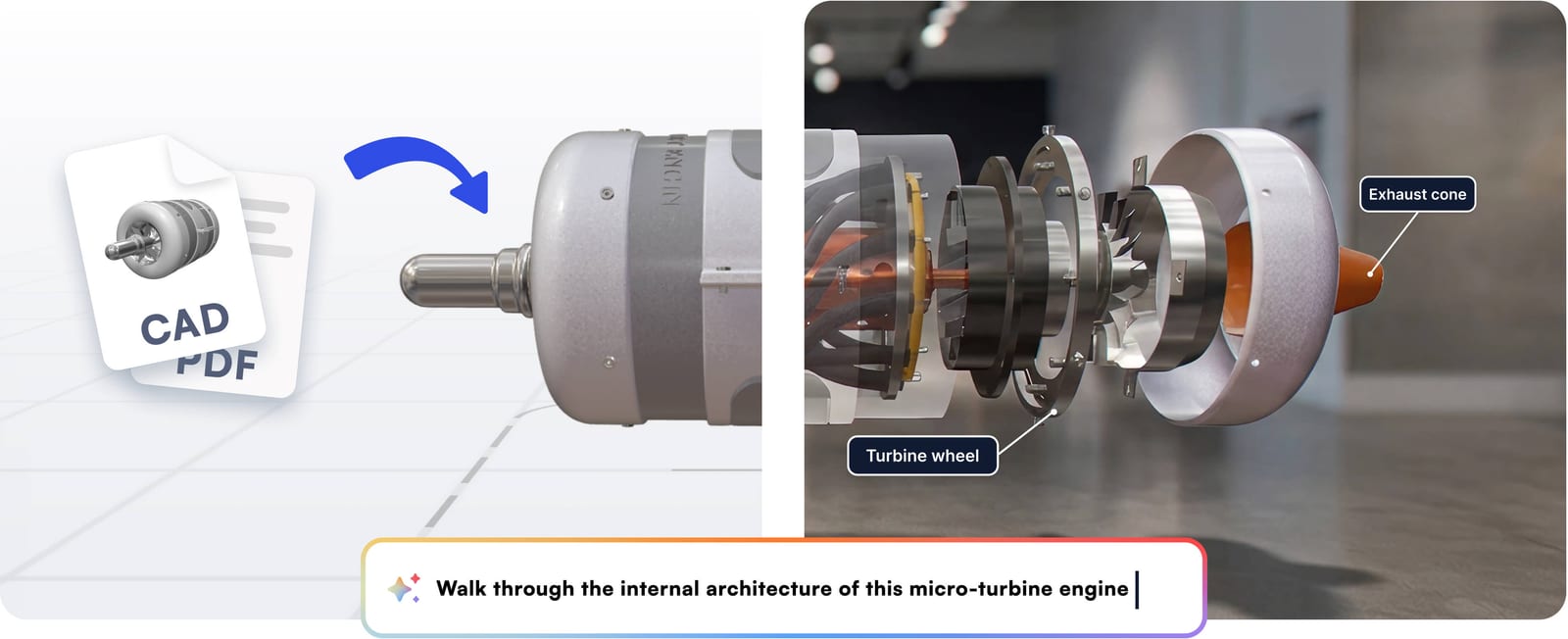
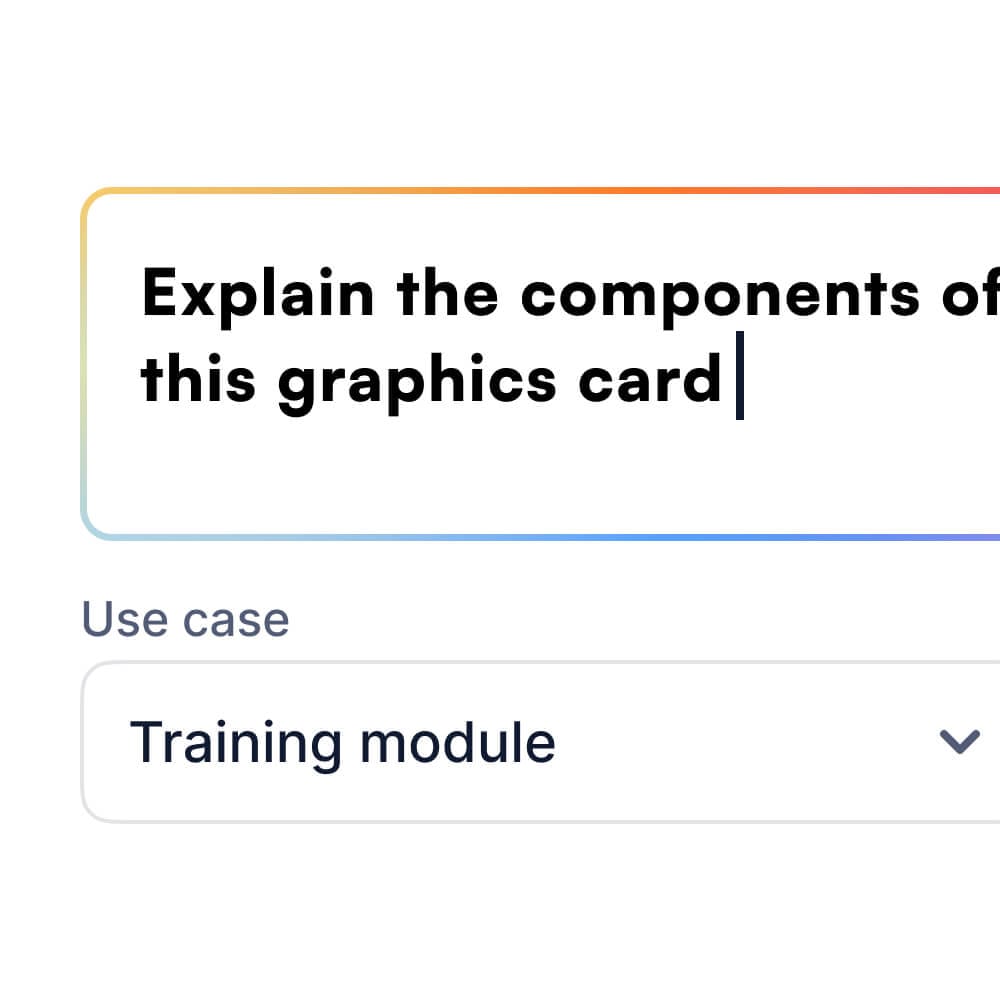
Upload the SOP, the OEM manual and the CAD. Spark matches them to the 3D model and drafts the Jig with the step sequence, written instructions, highlighted parts and camera views. You correct the details only your senior technician knows, then share it. A working draft takes minutes.
Every rack in the hall gets the same sequence, whichever contractor installs it. One Jig covers positioning the rack, connecting the coolant manifold and CDU, running the cables, pressure testing and checking for leaks.

Technicians know the next step before they touch the equipment. Tray replacements, transceiver swaps, fibre traces, pump swaps and strainer cleans are shown step by step on a model of the equipment in front of them.

Safety checks happen at the equipment, before anyone opens a panel. Each check and isolation step is in front of the technician, in order, with links to the permits they need.

An alert gets the same response at 3am as at 3pm. The playbook shows what the dashboard means, who to escalate to and what to do on arrival.

Every rack in the hall gets the same sequence, whichever contractor installs it. One Jig covers positioning the rack, connecting the coolant manifold and CDU, running the cables, pressure testing and checking for leaks.
Technicians know the next step before they touch the equipment. Tray replacements, transceiver swaps, fibre traces, pump swaps and strainer cleans are shown step by step on a model of the equipment in front of them.
Safety checks happen at the equipment, before anyone opens a panel. Each check and isolation step is in front of the technician, in order, with links to the permits they need.
An alert gets the same response at 3am as at 3pm. The playbook shows what the dashboard means, who to escalate to and what to do on arrival.
“Not only will it save hundreds of prospective train crew travelling to our HQ … it also gives them a level of access and detail we’ve never been able to offer before.”
Evapco
Read the Evapco case study“Our machines are big and complex … With JigSpace, we can demonstrate their scale and engineering without the cost or hassle, and still make a huge impact.”
IKN
Read the IKN case study“With JigSpace, IKN has reduced part identification errors, accelerated quoting, and created a far more efficient workflow.”
Medtronic
Read the Medtronic case study“Using JigSpace as part of our lean manufacturing development efforts has enabled Medtronic to create and test solutions in a matter of hours versus weeks.”
This is an estimate only. It excludes outage exposure, SLA credits and commissioning delays, which are larger.
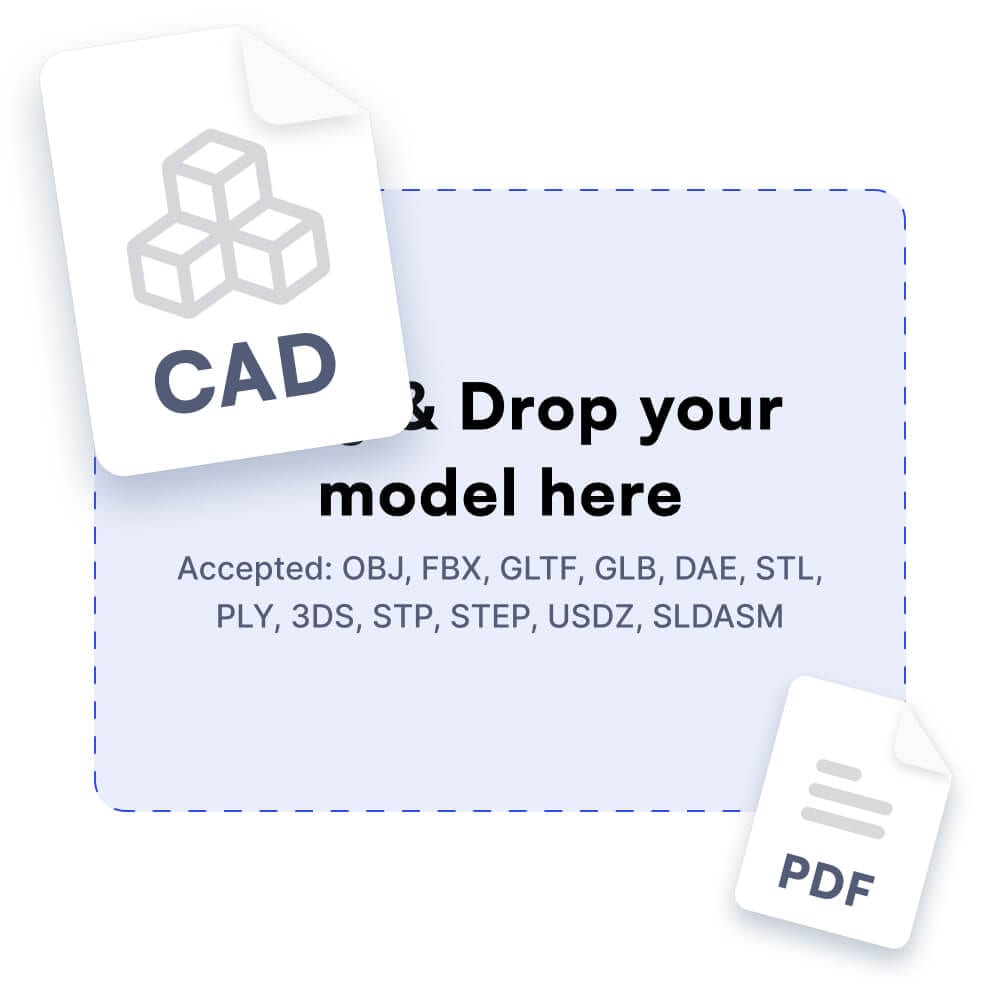
Jig imports STEP, FBX, GLTF, USDZ, STL and native SolidWorks files. Where an OEM won’t share CAD, JigSpace models the equipment into a library you keep.
Technicians open a link or QR code on iPhone, iPad, Android or a browser. Vision Pro adds true-scale practice in the training room.
Download Jigs to the device for halls and plant rooms without coverage.
Jig is SOC 2 Type II certified and encrypted in transit and at rest. Single sign-on, role-based access, password-protected sharing and EU data residency are included.
Embed Jigs in SharePoint, Confluence, Moodle or any page that takes an iframe. SCORM export adds quizzes and per-learner scores.
SCORM and quizzing are in closed beta.
See views, actions and time spent, per Jig and per procedure.
Your own people. The Jig workshop is built for non-technical users, with drag-and-drop steps, labels, animations, audio and video. Jig Spark drafts the first version from your SOPs and CAD, and JigSpace’s team builds the first few procedures alongside your senior technicians.
Use the OEM’s STEP files where you have them. Where you don’t, the JigSpace Studio team can help you model the equipment from photos and measurements into a library that you keep, so the next procedure on the same equipment starts from an existing model.
No. On the floor, Jigs run on the iPads and iPhones your technicians already carry. Vision Pro adds true-scale, hands-on practice in the training room, and nothing on this page requires it.
A Jig can link out to a ticket, an asset record or an O&M document, and a QR code on the equipment or in the ticket can open the Jig. Progress tracking and results can be gathered using our SCORM-compatible quizzing.
Jig is SOC 2 Type II certified, with encryption in transit and at rest, single sign-on, role-based access, password-protected sharing, and EU data residency if you need it. Jig Spark processing stays in the same AWS environment as the rest of the platform, and admins can turn it off.
Enterprise plans show views, actions and engagement time per Jig. Per-learner scores and quiz results come through SCORM export to your LMS, which is in closed beta with general availability planned for Q4 2026.
A Spark draft takes minutes, and a reviewed, technician-approved procedure can take hours. A first pilot with one SOP, one site and one crew runs inside a month.
We will walk your team through where Jig fits, from commissioning to maintenance, and what a first pilot involves.